Pumping paid traffic, sponsored ads, or outreach campaigns into a flawed website is the fastest way to burn your business growth budget. Thousands of dollars are spent daily on Google Ads, Meta campaigns, and influencer promotions across Uganda and East Africa, only for prospective clients to click through and encounter slow load times, broken forms, unreadable fonts, or confusing checkouts. If you do not run a thorough website audit checklist before spending money on marketing, you are subsidizing high bounce rates instead of driving qualified business revenue.
A website is not merely a digital business card; it is your primary conversion engine. When prospective clients land on your site from a paid search query or social ad, your technical architecture, user experience (UX), and trust signals determine whether they convert into a paying client or click away to a competitor.
In this field-tested guide, we walk through the exact, multi-layered technical, SEO, and conversion audit process used to evaluate enterprise web platforms before launching aggressive marketing campaigns.
The Hidden Cost of Marketing to a Flawed Website
Launching marketing campaigns without auditing your website creates invisible friction that cripples your Return on Ad Spend (ROAS). Ad networks calculate your Cost Per Click (CPC) and ad distribution based on landing page quality scores. If your site is technically slow or lacks content relevance, ad algorithms penalize your campaigns with higher bid costs.
+-----------------------------------------------------------------------------------+
|                           THE POOR LANDING PAGE SPIRAL                             |
+-----------------------------------------------------------------------------------+
|  1. High Page Load Time (>3.5s)  ---> Google Ads Lowers Quality Score             |
|  2. Lower Quality Score          ---> Cost-Per-Click (CPC) Increases by 30-100%    |
|  3. Weak Mobile Responsiveness    ---> 70% of Ad Clicks Bounce Immediately          |
|  4. Broken Lead Forms / No CTA   ---> Zero Conversions & Wasted Campaign Capital  |
+-----------------------------------------------------------------------------------+
Understanding this financial dynamic changes how you view website preparation. Every technical bug, slow script, or missing call-to-action directly reduces your campaign profitability.
Category 1: Technical Infrastructure & Core Web Vitals Audit
Your site’s technical foundation must be stable, secure, and lightning-fast. If your hosting environment or code framework stumbles under load, your marketing budget is wasted before visitors even read your headline.
1. Speed Performance & Core Web Vitals
Mobile users on 3G and 4G networks across Kampala and regional hubs will not wait five seconds for a bloated homepage to load. Every second of delay drops conversion rates by up to 20%.
- Largest Contentful Paint (LCP): Measures perceived loading speed. Your main hero section must render in under 2.5 seconds.
- Interaction to Next Paint (INP): Measures page responsiveness. User clicks or tap inputs must respond in under 200 milliseconds.
- Cumulative Layout Shift (CLS): Measures visual stability. Elements must not jump around while loading, preventing accidental clicks.
To maintain optimal load speeds, optimize your assets through dedicated Website Speed Optimization Uganda processes before launching paid traffic campaigns.
Speed Benchmark Targets:
[ LCP: < 2.5s ]  |  [ INP: < 200ms ]  |  [ CLS: < 0.1 ]  |  [ Total Page Size: < 2.0MB ]
2. HTTPS Security, SSL, and Mixed Content Checks
Modern web browsers aggressively block or warn users when visiting unencrypted sites. If a prospective client clicks your ad and sees a full-screen red warning reading “Your connection is not private,” they will bounce instantly.
- Ensure an active SSL/TLS certificate is installed.
- Verify that all HTTP traffic automatically forces a 301 redirect to HTTPS.
- Check for mixed content errors where images or scripts load via unsecure
http://paths inside anhttps://page.
3. Server Uptime & Hosting Scalability
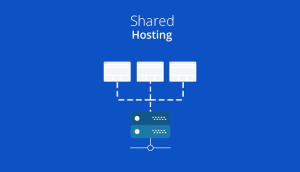
If your site runs on cheap, shared hosting infrastructure, sending a sudden burst of 2,000 ad clicks in an afternoon can trigger a 508 Resource Limit Exceeded server crash. Upgrading to managed enterprise Web Hosting Uganda ensures your server infrastructure handles concurrent traffic spikes reliably.
| Technical Audit Item | Tool Required | Benchmark Pass Threshold | Impact on Paid Ad Spend |
| LCP Load Speed | Google PageSpeed Insights | Under 2.5 Seconds | Improves Google Ads Quality Score & lowers CPC |
| Mobile Responsiveness | Chrome DevTools Mobile View | Zero horizontal scroll | Prevents 70%+ mobile ad bounce rate |
| SSL Encryption | SSL Shopper / Browser Bar | Valid Padlock & Forced HTTPS | Eliminates security warning bounces |
| Form Processing | Manual End-to-End Submission | Form posts in under 2 seconds | Ensures lead data is captured accurately |
Category 2: Search Engine Optimization (SEO) & Indexability Audit
Even if your upcoming campaign relies primarily on paid ads, organic indexability and on-page SEO ensure your landing pages build long-term search authority.
                         [ ON-PAGE SEO AUDIT FLOW ]
                                     |
    +--------------------------------+--------------------------------+
    |                                                                 |
[ Crawl & Indexing ]                                       [ On-Page Optimization ]
  - Verify robots.txt permits bots                           - Exactly ONE H1 per landing page
  - Check no unintended noindex tags                         - Target primary keyword in first 100 words
  - Confirm XML sitemap is error-free                        - Optimize meta tags & Open Graph previews
1.Audit robots.txt & Meta Directives:Verify search crawlers can reach landing pages.
Check your robots.txt file at [yourdomain.com/robots.txt](https://yourdomain.com/robots.txt). Confirm that directories containing your key campaign landing pages are not accidentally blocked with Disallow: directives. Inspect your HTML header to ensure campaign pages do not feature an unintended “ tag.
2.Verify Google Analytics 4 & Meta Pixel Setup:Audit analytics and event pipelines.
Ensure GA4 tracking codes and Meta (Facebook) Conversion Pixels are installed properly across all pages. Test custom conversion events—such as form completions, WhatsApp button taps, and checkout confirmations—inside Google Analytics to guarantee accurate campaign attribution.
3.Optimize Heading Tags & Open Graph Metadata:Audit structural hierarchy and meta tags.
Ensure every campaign landing page uses a single, descriptive H1 tag matching the ad offer. Set meta titles under 60 characters and meta descriptions under 160 characters. Configure Open Graph images (og:image) so your landing pages generate clear, professional visual previews when shared on WhatsApp, LinkedIn, or Twitter.
4.Implement Schema Markup & Local SEO Indicators:Integrate structural entity data.
Add JSON-LD Schema markup (such as LocalBusiness, Organization, or Product) to give search engines explicit details about your enterprise. If serving regional clients, align your website architecture with professional SEO Services Uganda strategy to capture high-intent local queries.
Category 3: User Experience (UX), Content & Conversion Rate Optimization (CRO) Audit
A technical site that fails to guide visitors toward a clear action is simply an expensive online brochure. User Experience (UX) and Conversion Rate Optimization (CRO) turn passive traffic into active leads and sales.
                    [ 5-SECOND UX LANDING PAGE LAYOUT ]
+-----------------------------------------------------------------------+
|  LOGO / BRANDING                     NAV MENU          [ CALL TO ACTION ] |
+-----------------------------------------------------------------------+
|                                                                       |
|  CLEAR H1 HEADLINE THAT MATCHES AD PROMISE EXACTLY                     |
|  Sub-headline explaining immediate customer benefit simply.           |
|                                                                       |
|  [ PRIMARY CTA BUTTON ]              [ HERO IMAGE / PRODUCT VIDEO ]   |
|  (e.g., "Request Free Audit")                                         |
|                                                                       |
+-----------------------------------------------------------------------+
|  TRUST BADGES | CLIENT LOGOS | CERTIFICATIONS | 5-STAR REVIEWS        |
+-----------------------------------------------------------------------+
The 5-Second Message Alignment Test
When a prospective client clicks an ad promising “Affordable School Management Software in Kampala,” your landing page headline must explicitly echo that offer above the fold. If they land on a generic homepage displaying “Welcome to Our Innovative Digital Solutions,” cognitive friction increases, and the user bounces.
Frictionless Lead Capture Forms
Excessive form fields destroy conversion rates. Every unnecessary field you request reduces form completions significantly.
- High Friction (Bad): Asking for Name, Email, Phone Number, Company Size, Budget, Job Title, Physical Address, and a detailed Message.
- Low Friction (Good): Asking only for Name, Phone Number/WhatsApp, and Email Address. Collect additional details during your follow-up sales call.
The Master Pre-Marketing Website Audit Checklist
Run through this complete 15-point checklist before allocating budget to digital marketing campaigns:
[ ]  1. Page Speed Passed: LCP under 2.5s on mobile connections.
[ ]  2. Mobile Layout Verified: No horizontal scrolling or overlapping text on smartphones.
[ ]  3. SSL Active: Forced HTTPS redirect with zero mixed-content errors.
[ ]  4. Server Capacity Tested: Hosting infrastructure supports concurrent traffic bursts.
[ ]  5. Analytics Active: GA4 tracking code fires cleanly across all pages.
[ ]  6. Conversion Tracking Verified: Form submits and call buttons trigger goal events.
[ ]  7. Indexing Open: No accidental noindex tags on campaign landing pages.
[ ]  8. Meta Directives Clear: robots.txt allows access to CSS and JavaScript assets.
[ ]  9. Message Match: Landing page H1 headline matches ad creative verbatim.
[ ] 10. Clear Above-the-Fold CTA: Action button visible immediately without scrolling.
[ ] 11. Minimal Lead Forms: Forms capped at 3–4 essential input fields.
[ ] 12. Trust Signals Present: Testimonials, case studies, or client logos clearly displayed.
[ ] 13. Contact Pathways Tested: Click-to-call links and WhatsApp triggers function seamlessly.
[ ] 14. Broken Link Audit Complete: Zero 404 errors on main conversion paths.
[ ] 15. Cross-Browser Tested: Page renders properly on Chrome, Safari, Edge, and Firefox.
Real-World Case Examples: Website Audits in Action
Scenario 1: The B2B Logistics Provider
A regional logistics firm launched a $1,500 monthly Google Ads campaign targeting corporate freight inquiries. Despite generating hundreds of clicks, they received zero lead submissions over two weeks.
- The Audit Finding: Their quote request form had a broken JavaScript validation script on mobile Safari. Every mobile user who clicked “Submit” encountered a silent freeze.
- The Fix: The script error was resolved, and the form fields were reduced from nine to three.
- The Result: The company captured 38 qualified enterprise leads in the subsequent 30 days without increasing their ad spend.
Scenario 2: The E-Commerce Fashion Brand
An online apparel retailer ran Instagram video ads driving traffic directly to individual product pages. Sales remained stagnant despite high traffic volume.
- The Audit Finding: Product images averaged 6MB each, pushing mobile LCP load times past 8.2 seconds. Additionally, the “Add to Cart” button was buried below three screens of unformatted text.
- The Fix: Images were compressed into WebP formats, reducing page weight by 82%. A sticky “Buy Now” button was implemented on mobile views.
- The Result: Conversion rates rose from 0.4% to 2.8%, lowering their customer acquisition cost significantly.
Transitioning to modern platform standards via tailored WordPress Development Uganda or custom Mobile App Development Uganda architectures prevents these costly conversion breakdowns.
Common Mistakes That Waste Marketing Capital
Avoid these frequent mistakes when preparing your web platform for paid marketing:
+-----------------------------------------------------------------------+
|                    MARKETING AUDIT BLUNDERS TO AVOID                  |
+-----------------------------------------------------------------------+
| ❌ Driving paid ad campaigns directly to your generic Homepage        |
| ❌ Forgetting to test contact forms on actual mobile devices          |
| ❌ Hiding phone numbers and WhatsApp buttons deep inside footer menus  |
| ❌ Using large, uncompressed PNG images on mobile landing pages      |
| ❌ Ignoring broken links during campaign URL redirects                |
+-----------------------------------------------------------------------+
1. Directing Ad Traffic to Your Homepage
Your homepage is built for general brand exploration, not targeted conversion. Always direct paid campaign traffic to dedicated, conversion-focused landing pages designed specifically around the advertised offer.
2. Ignoring WhatsApp Integration for East African Audiences
Across Uganda and the broader East African market, prospective clients often prefer immediate, direct messaging over traditional email forms. Failing to feature a prominent, click-to-chat WhatsApp action button can cost you up to 40% of potential inbound inquiries.
Frequently Asked Questions
1. Why should I complete a website audit checklist before spending money on marketing?
Auditing your website ensures that your technical infrastructure, mobile speed, user experience, and conversion tracking are fully optimized before spending budget on paid ads. Marketing to an unaudited website often leads to high bounce rates, low quality scores, and wasted ad spend.
2. How does page speed impact my digital advertising performance?
Slow page speed directly damages ad campaign efficiency. Platforms like Google Ads assess your landing page load speed to determine your Quality Score. A slow site increases your Cost Per Click (CPC) and causes mobile users to leave before your page even loads.
3. What is the most critical technical item to test on a landing page?
Form processing and lead capture mechanisms are paramount. You must manually test every lead form, click-to-call link, WhatsApp trigger, and checkout funnel across multiple mobile devices to ensure incoming lead data is recorded accurately.
4. Should I send paid campaign traffic to my homepage?
No. Homepages contain broad navigation options that distract high-intent visitors. Always send campaign traffic to dedicated landing pages tailored directly to the specific offer, keyword, or promotion highlighted in your ad creative.
5. What tools are best for running a website audit checklist before spending money on marketing?
Key tools include Google PageSpeed Insights for performance, Google Search Console for indexability, Chrome DevTools for mobile UX testing, and Google Analytics 4 for conversion event tracking.
6. How many form fields should I include on a lead generation landing page?
Keep forms as concise as possible. Limiting fields to 3 or 4 essential questions (e.g., Name, Phone/WhatsApp, Email) yields significantly higher submission rates than long, multi-field questionnaires.
7. How does a lack of SSL security hurt my ad campaigns?
Without an active SSL certificate (https://), modern web browsers display prominent security warnings to users. This causes up to 85% of ad visitors to abandon your site immediately out of safety concerns.
8. What is “Message Matching” in conversion rate optimization?
Message matching means aligning your landing page headline and visual offer directly with the wording used in your ad creative. Exact alignment reassures visitors that they have landed in the right place, boosting conversion rates.
9. How often should a business run a website technical audit?
Run a technical audit before launching any major ad campaign, after executing website design updates, or at least quarterly to catch broken links, slow scripts, and tracking failures early.
10. How can a professional web development agency help prepare my site for marketing?
A professional agency conducts end-to-end technical, SEO, and UX audits to resolve crawl blocks, optimize server speed, refine user funnels, and build high-converting landing page architectures.
Preparing Your Website for Profitable Campaigns
Completing a website audit checklist before spending money on marketing transforms your website from an uncertain expense into a reliable growth engine. Resolving technical blocks, streamlining mobile navigation, and refining conversion paths ensures every marketing dollar works effectively to generate business inquiries.
Before launching your next digital marketing push, ensure your web platform is fully optimized to convert incoming traffic.
If you need professional assistance auditing, optimizing, or redesigning your digital platform, contact the team at Web Systems Uganda. Explore our specialized Website Design Company Uganda services, learn more on our About Us page, review our work in our Portfolio, or get in touch through our Contact Us portal to book a comprehensive website technical audit today.