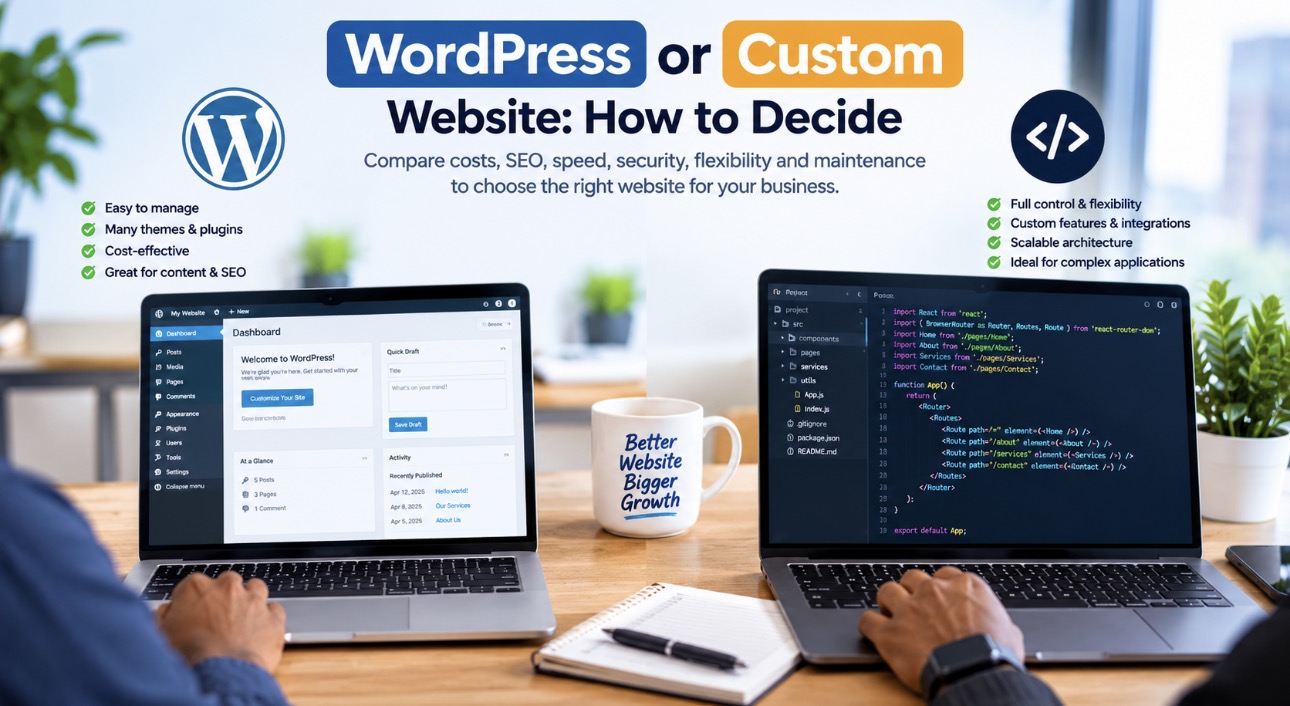
WordPress vs Custom Website: How to Decide Which Is Best for Your Business
Choosing between a WordPress website and a custom-coded website is one of the most important decisions you can make when building your business online. The right choice affects your website development cost, performance, security, search engine optimization (SEO), flexibility and long-term maintenance.
For a small business in Uganda, WordPress may offer an affordable and practical way to establish a professional online presence. For a company that needs specialized business processes, complex integrations or a unique web application, custom development may be the better investment.
However, the decision is not always as simple as choosing between WordPress and custom code. WordPress can be customized extensively, while a custom-coded website can be expensive to maintain if it is poorly planned.
In this guide, we compare WordPress vs custom website development, explain the advantages and disadvantages of each option, examine their SEO capabilities, and help you determine which solution is right for your business.
Quick Answer: WordPress or Custom Website?
Choose WordPress if you need a business website, company profile, blog, portfolio, news website or online store that you want to manage without writing code every day.
Choose a custom-coded website if you need specialized functionality, complex integrations, unique workflows, advanced dashboards or an application that does not fit comfortably into an existing content management system.
Choose a hybrid solution if you need WordPress for content management combined with custom plugins, APIs or separately developed application features.
The best website is not necessarily the one built with the most code. It is the one that solves your business problems reliably, fits your budget and can grow with your business.
1. What Is a WordPress Website?
WordPress is a content management system (CMS) that allows website owners to create, publish and manage website content through an administration dashboard.
Instead of building every feature from scratch, developers can use WordPress’s existing infrastructure, themes, plugins and database system to create websites.
WordPress can power many types of websites, including:
- Business and corporate websites.
- Blogs and online magazines.
- Company portfolios.
- NGO and institutional websites.
- Online stores using WooCommerce.
- Hotel and tourism websites.
- Membership websites and learning platforms.
- Custom business websites with specialized functionality.
For example, a business in Kampala that needs Home, About Us, Services, Blog and Contact pages can use WordPress to launch a professional website without paying for every underlying feature to be developed from scratch.
A developer can also customize the theme, create bespoke plugins, integrate payment gateways and extend the website’s functionality using PHP, JavaScript, HTML, CSS and APIs.
This means WordPress is not limited to basic templates. With the right development approach, it can support sophisticated business requirements.
If you are exploring this option, learn more about WordPress development and website solutions from WebSystems Uganda.
2. What Is a Custom-Coded Website?
A custom-coded website is developed with code specifically selected and written to meet a project’s requirements. Depending on the project, developers may use HTML, CSS, JavaScript, PHP, Laravel, React, Node.js or other technologies.
Unlike a conventional WordPress website, a fully custom solution does not have to rely on WordPress as its central content management system.
The development team can design the application’s architecture, database, user permissions, workflows, interfaces and integrations around the business’s needs.
Custom development is particularly useful for projects such as:
- Business management systems.
- Customer and employee portals.
- Booking and reservation platforms.
- Inventory and stock management applications.
- Subscription management systems.
- Complex property listing platforms.
- School management systems.
- Logistics and tracking applications.
- Specialized financial or reporting dashboards.
Imagine a company that needs a dashboard where customers log in, employees process requests, managers approve transactions and administrators generate reports. A custom application may provide a better architectural fit than trying to combine numerous unrelated plugins.
However, custom development also means the developer must plan for authentication, database design, security, testing, backups, maintenance and future improvements.
Custom code offers flexibility, but flexibility comes with responsibility.
3. WordPress vs Custom Website: Key Differences
The following table summarizes the main differences between the two approaches.
| Feature | WordPress | Custom-coded website |
| Initial development | Often faster | Usually requires more planning and development |
| Initial cost | Often lower for standard websites | Can be higher, depending on functionality |
| Content management | Built-in administration dashboard | Must be built or integrated if required |
| Design flexibility | High with suitable themes and custom development | Very high when properly engineered |
| SEO | Strong capabilities with correct configuration | Strong capabilities with correct implementation |
| Website speed | Depends on hosting, theme, plugins and optimization | Depends on architecture, code and hosting |
| Security | Requires core, theme and plugin maintenance | Requires secure coding and ongoing maintenance |
| Integrations | Plugins and APIs | APIs and custom integrations |
| Maintenance | Updates, backups and compatibility checks | Code maintenance, dependency updates and testing |
| Scalability | Suitable for many growing websites and applications | Can be designed for specialized scaling requirements |
| Best use case | Content-driven and conventional business websites | Specialized applications and unique workflows |
Neither approach automatically guarantees better speed, security, SEO or scalability. Those results depend on how the website is designed, developed, hosted and maintained.
4. WordPress vs Custom Website: Which Is More Affordable?
Website development cost is one of the first things business owners consider.
WordPress often costs less for a standard business website because developers can build on an existing CMS rather than creating the entire publishing and administration system from scratch.
A custom website may require additional development hours for user accounts, database relationships, admin dashboards, permissions, reports, integrations and other specialized features.
However, the actual price depends on the project scope rather than the technology name alone.
WordPress development costs
WordPress can be cost-effective for businesses that need:
- A professional company website.
- Service and product pages.
- A blog or news section.
- Contact forms and WhatsApp integration.
- Search engine optimization tools.
- A standard online store.
- Easy content editing by staff.
The price may increase if the website needs a premium design, custom plugins, advanced WooCommerce functionality, external API integrations or extensive performance optimization.
Custom website development costs
Custom development can cost more when the project requires a large amount of specialized engineering.
Examples include:
- User registration and role-based permissions.
- Complex dashboards and reporting.
- Automated business workflows.
- Real-time information processing.
- Integration with existing business software.
- Custom booking and payment processes.
- Specialized databases and application programming interfaces.
A small custom landing page may be inexpensive, while a large WordPress application with extensive customization may cost more than a simple custom-coded website.
Consider the total cost of ownership
Do not compare websites using the initial quotation alone. Consider the total cost over at least two or three years.
Include:
- Design and development.
- Domain registration and renewal.
- Web hosting and SSL configuration.
- Premium themes, plugins or third-party subscriptions.
- Security updates and backups.
- Technical support and bug fixes.
- New features and future integrations.
A cheap website can become expensive if it requires frequent repairs. An expensive website can also become a poor investment if the business never uses its advanced features.
For more guidance, read our article on website design services and web hosting solutions in Uganda.
5. Which Is Better for SEO: WordPress or Custom Development?
Both WordPress and custom-coded websites can rank well on Google.
Google does not automatically reward a website simply because it was built with WordPress or written from scratch. Search visibility depends on many factors, including content relevance, technical accessibility, page experience, internal linking, site structure and the overall usefulness of the website.
WordPress SEO advantages
WordPress provides a convenient foundation for managing SEO when it is configured properly.
You can:
- Edit page titles and meta descriptions.
- Create readable URLs.
- Organize content into categories.
- Publish articles consistently.
- Add image alternative text.
- Generate XML sitemaps.
- Manage redirects using suitable tools.
- Implement structured data where appropriate.
- Connect Google Search Console and analytics tools.
SEO plugins can simplify many of these tasks, but installing a plugin does not automatically make a website search-engine optimized.
A WordPress website can still perform poorly if it has duplicate content, incorrect canonical tags, slow pages, broken internal links or important pages blocked from indexing.
Custom website SEO advantages
Custom development gives the team direct control over the site’s technical architecture.
Developers can implement:
- Clean semantic HTML.
- Efficient page templates.
- Custom metadata and canonical URLs.
- Structured data.
- XML sitemaps.
- Optimized image delivery.
- Carefully managed JavaScript rendering.
- Tailored internal linking systems.
- Specialized technical SEO requirements.
However, all of these features must actually be implemented. A custom website without proper metadata, crawlable links or indexable content can perform worse than a well-maintained WordPress website.
How to make either website SEO-friendly
Regardless of the technology you choose:
- Research the phrases your customers actually search for.
- Create useful pages that answer specific questions.
- Give each important page a unique, descriptive title.
- Write a compelling meta description.
- Use a logical heading structure.
- Compress images and write meaningful alt text where appropriate.
- Build relevant internal links between related pages.
- Ensure important content can be crawled and indexed.
- Use HTTPS and maintain a secure website.
- Monitor indexing and search performance in Google Search Console.
If your website is not appearing in search results, read our guide on why your website is not showing up on Google and how to fix it.
For professional support, explore SEO and digital visibility solutions from WebSystems Uganda.
6. Which Website Is Faster?
Website speed depends on how the website is engineered, the quality of its hosting, the size of its assets and the amount of work the browser must perform.
A lightweight WordPress website with optimized images and a well-built theme can be faster than a poorly written custom website.
Equally, a carefully engineered custom website can deliver excellent performance when its architecture is designed around the workload.
Common WordPress performance problems
WordPress performance can suffer when a website has:
- Too many unnecessary plugins.
- A heavy page builder or poorly optimized theme.
- Large, uncompressed images.
- Excessive JavaScript and CSS.
- Poor caching configuration.
- Slow database queries.
- Inadequate hosting resources.
- Third-party scripts that delay rendering.
These problems are not unavoidable WordPress limitations. Many can be addressed through appropriate development and optimization.
Common custom website performance problems
Custom websites can also become slow because of:
- Inefficient database queries.
- Poor caching strategies.
- Large JavaScript bundles.
- Unoptimized images and fonts.
- Excessive API requests.
- Poorly designed backend processes.
- Unnecessary dependencies.
- Insufficient server resources.
How to improve website speed
For either platform, prioritize:
- Modern image formats such as WebP or AVIF where appropriate.
- Responsive images and correct image dimensions.
- Lazy loading for suitable below-the-fold images.
- Browser and server caching.
- Reduced render-blocking resources.
- Efficient CSS and JavaScript.
- Fast, reliable hosting.
- Core Web Vitals monitoring.
Test the finished website with Google PageSpeed Insights. A high score is useful, but also check the real user experience, functionality and conversion process.
7. Which Is More Secure?
Security is not determined by whether a website uses WordPress or custom code. It depends on the quality of implementation and the ongoing maintenance process.
WordPress security
WordPress websites should have:
- Current WordPress core software.
- Updated themes and plugins.
- Strong administrator passwords.
- Two-factor authentication where practical.
- Appropriate user permissions.
- Regular, tested backups.
- HTTPS enabled.
- Monitoring for suspicious activity.
- Removal of unused themes and plugins.
Only install extensions from trustworthy sources, and avoid abandoned or unsupported plugins.
Custom website security
Custom applications require the same attention to security, together with secure implementation of their application-specific features.
Developers must consider:
- Authentication and authorization.
- Input validation and output encoding.
- Protection against SQL injection and cross-site scripting.
- Cross-site request forgery protections where applicable.
- Secure session and cookie configuration.
- Rate limiting and abuse prevention.
- API authentication and access control.
- Secure storage of secrets and credentials.
- Dependency updates and vulnerability monitoring.
- Database access controls and backup recovery.
A custom website is not automatically safer because it has fewer plugins. Poorly written custom code can introduce serious vulnerabilities.
The correct approach is to choose a maintainable architecture and follow appropriate security practices from the beginning.
8. Which Gives You More Design Freedom?
Both options can support professional, responsive and distinctive designs.
WordPress offers a wide range of themes and page-building tools. Developers can also create custom themes and tailor templates to the brand’s requirements.
Custom-coded websites provide direct control over the interface and application architecture. This can be useful when the project requires a highly specialized user experience or interaction model.
However, the distinction is not simply that WordPress websites use templates while custom websites are unique. A WordPress website can have a completely bespoke design.
The real question is how much design and functionality your project needs, and whether the proposed development approach can deliver them efficiently.
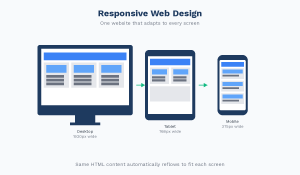
When choosing a developer, ask to see relevant portfolio examples and confirm that the website will work properly on phones, tablets and desktops.
9. Which Is Easier to Update and Maintain?
For most businesses that regularly publish content, WordPress has an advantage because it includes a content management dashboard.
A business owner or staff member can usually update text, publish blog posts, change images and manage products without editing source code.
A custom website can offer the same convenience, but it needs a suitable content management system or administration interface.
Without one, even simple content changes may require a developer.
WordPress maintenance checklist
- Update core software, themes and plugins.
- Check compatibility after important updates.
- Maintain regular backups.
- Test forms and key website features.
- Review security and uptime.
- Monitor speed and broken links.
- Review SEO settings after significant changes.
Custom website maintenance checklist
- Update frameworks and dependencies.
- Fix bugs and security vulnerabilities.
- Test changes before deployment.
- Monitor application logs and server resources.
- Maintain database backups.
- Document the architecture and deployment process.
- Keep source code in version control.
- Test important integrations after updates.
Neither website type is maintenance-free. Before signing a development contract, establish who is responsible for updates, backups, hosting, technical support and future changes.
10. Which Is Better for E-commerce?
The right choice depends on the number of products, checkout requirements, payment methods, inventory processes and integrations.
When WordPress and WooCommerce make sense
WooCommerce is worth considering when you need:
- Product listings and categories.
- Shopping carts and checkout.
- Order management.
- Inventory tracking.
- Customer accounts.
- Promotional discounts.
- Payment gateway integration.
- Shipping and delivery options.
For a Ugandan business, confirm that your chosen payment gateway supports your required payment methods, including relevant Mobile Money options, and verify its transaction fees and settlement process.
Read our guide on building an e-commerce website in Uganda that accepts Mobile Money.
When custom e-commerce development makes sense
Custom development may be appropriate when the business requires:
- Complex pricing rules.
- Specialized inventory management.
- Unusual order approval processes.
- Deep integration with existing enterprise systems.
- Custom marketplaces with different seller roles.
- Specialized subscription or billing workflows.
- High-volume transaction processing with specific architectural requirements.
Custom development is not automatically the better option for a large store. WooCommerce and other established commerce platforms can support substantial businesses when configured and operated appropriately.
Choose based on the requirements, expected workload and operational costs—not on assumptions about which technology sounds more advanced.
11. Can You Combine WordPress With Custom Code?
Yes. A hybrid approach is often the most practical option.
You can use WordPress to manage the public website, service pages, blog and SEO content while adding custom functionality for specialized business needs.
For example, a hotel could use WordPress for its website and blog while integrating a custom booking system. An NGO could use WordPress for public information and a separate application for internal reporting and member management.
Hybrid solutions can include:
- Custom WordPress themes.
- Bespoke WordPress plugins.
- REST API integrations.
- WooCommerce extensions.
- Custom dashboards.
- Separate applications connected to WordPress.
- External booking, payment or CRM systems.
The main consideration is architectural quality. Integrations should be secure, documented, tested and maintainable.
A hybrid solution lets you avoid rebuilding features that already work well while retaining control over the functions that make your business different.
12. Which Option Is Best for Different Businesses in Uganda?
The best choice depends on your business model and the tasks your website must perform.
Small businesses and startups
Recommended starting point: WordPress.
A typical small business needs a professional appearance, service pages, contact information, WhatsApp integration, basic SEO and an easy way to update content.
WordPress can deliver these features without requiring a completely custom application.
Corporate companies and professional firms
Recommended starting point: WordPress or a hybrid solution.
A company website may need multiple service pages, staff profiles, case studies, news, downloadable documents and lead-generation forms.
WordPress is usually suitable, while custom development can be added when internal workflows or integrations require it.
Hotels, lodges and tour operators
Recommended starting point: WordPress with suitable booking integrations, or a custom solution for complex booking requirements.
A tourism website may need room listings, galleries, availability information, booking requests, payment integration and multilingual content.
Choose the simplest architecture that can reliably support the actual booking process.
For more context, see our article on whether Ugandan hotels should have their own websites or rely on Booking.com.
Online stores
Recommended starting point: WooCommerce or another established e-commerce platform.
Use custom development when specific checkout, inventory, pricing or integration requirements cannot be handled adequately by the selected platform.
Schools and NGOs
Recommended starting point: WordPress for public information; hybrid or custom development for complex internal systems.
An institutional website is different from a student management system or a secure member portal. The public website may be straightforward, while the internal application needs custom permissions, workflows and reporting.
Startups building software products
Recommended starting point: A custom application or hybrid architecture, depending on the product.
If your core product is a subscription platform, SaaS dashboard, booking engine or data-driven application, the technical requirements should guide the decision.
WordPress may still support marketing pages and content management, even when the main application uses a different technology stack.
13. Seven Questions to Ask Before Choosing
Before hiring a web developer, answer these questions.
1. What is the website supposed to achieve?
Will it generate enquiries, sell products, accept bookings, publish information or operate as a complete business application?
2. Who will update the content?
If non-technical staff need to publish articles and change pages regularly, a CMS is important.
3. What features are essential at launch?
Separate essential requirements from features that can be introduced later. This helps prevent unnecessary development costs.
4. What integrations are required?
List payment gateways, accounting software, CRMs, booking services, inventory systems and other platforms that must communicate with the website.
5. What is the full budget?
Account for hosting, domain renewal, maintenance, software subscriptions and future improvements.
6. Who will maintain the website?
Confirm the availability of technical support, backups, updates, documentation and recovery procedures.
7. Can the solution grow with the business?
Ask how new features will be added, how data can be exported, and what happens if you change developers.
A good development partner should explain the trade-offs in understandable language and recommend technology based on your requirements.
14. Common Mistakes to Avoid
Choosing custom development just because it sounds premium
Custom code can be valuable, but it is not automatically better for every business. Avoid paying for a complex architecture when a simpler solution meets the requirements.
Choosing WordPress only because it is cheap
A poorly built WordPress website can create security, performance and maintenance problems. Theme quality, plugin selection, configuration and development standards matter.
Ignoring SEO until after launch
Search engine optimization should influence website structure, URLs, page templates, content planning, image handling and internal linking from the beginning.
Forgetting maintenance costs
Every production website requires ongoing attention. A developer should explain how updates, backups, bug fixes and security issues will be handled.
Focusing on appearance instead of results
An attractive website is valuable, but it must also communicate clearly, load efficiently, work on mobile devices and make it easy for customers to take action.
Failing to establish website ownership
Confirm who owns the domain, hosting account, source code, database, content, licenses and third-party accounts. Ensure you can obtain the access and documentation you need.
Adding too many features at launch
Start with the functions that support your primary business goals. Introduce additional features when there is a clear business case.
15. Final Verdict: WordPress or Custom Website?
There is no universal winner.
For a standard business website, corporate profile, blog or many online stores, WordPress is often a practical choice because it combines content management, flexibility and a broad ecosystem of extensions.
For specialized applications with unique business logic, complex permissions, advanced integrations or highly specific performance requirements, custom development may be more appropriate.
For many growing companies, the strongest option is a hybrid approach: WordPress for the public-facing website and content, with custom development where it creates genuine value.
At WebSystems Uganda, the objective should be to match the technology to your business requirements rather than force every project into the same solution.
If you are planning a new website or considering a redesign, begin by defining your goals, features, budget and long-term maintenance needs.
Need help choosing the right website for your business?
WebSystems Uganda provides website design, WordPress development, custom web applications, SEO and hosting solutions for businesses in Kampala and across Uganda.
Visit WebSystems Uganda or contact our team to discuss your project and identify the most suitable development approach.
Frequently Asked Questions
Is WordPress better than a custom website?
WordPress is often better for content-driven business websites because it provides a ready-made content management system. Custom development may be better for specialized applications with unique workflows or integrations. The best option depends on the project’s requirements.
Is a custom website better for SEO?
Not automatically. Both WordPress and custom websites can rank well on Google. Search visibility depends on content quality, technical SEO, crawlability, site structure, performance and other ranking factors.
Is WordPress cheaper than custom development?
WordPress is often cheaper for standard business websites because developers can reuse existing CMS features. Custom development may require more initial engineering, although costs vary considerably with project scope.
Can a WordPress website be fully customized?
Yes. Developers can create custom themes, plugins, templates, integrations and application features. WordPress can support much more than a basic template-based website.
Can a custom website have an admin dashboard?
Yes. Developers can build a dashboard for managing users, products, content, bookings, reports and other data. However, the dashboard must be included in the project scope and maintained.
Which option is faster?
Neither technology guarantees better speed. Performance depends on the code, architecture, hosting, caching, images, scripts and database operations.
Which website is more secure?
Both can be secure when developed and maintained correctly. WordPress requires regular updates to core software, themes and plugins. Custom applications require secure coding, dependency management, access controls and ongoing security testing.
Can I change from WordPress to a custom website later?
Yes, but the process may involve migrating content, media, URLs, customer data and business functionality. Plan the migration carefully to protect data and preserve search visibility.
Should a small business in Uganda use WordPress?
For many small businesses, WordPress is a sensible starting point because it supports service pages, blogs, contact forms and e-commerce extensions. Specialized business requirements may justify custom development.
How do I choose a reliable website developer in Uganda?
Review the developer’s portfolio, clarify the scope and payment terms, confirm domain and source-code ownership, ask about SEO and mobile performance, and establish who will provide maintenance and support.
Conclusion
Choosing between WordPress and custom development is a business decision, not simply a coding preference.
Start with what your customers need, what your business must accomplish and what you can maintain over time. Then choose the architecture that meets those requirements without introducing unnecessary complexity.
A well-planned website should be easy to use, secure, maintainable, mobile-friendly and structured to support your business growth.